
 Image 1 of 1
What you generate is what you cut.
No adjustment after placement.
Use it as a guide. Or build directly on it.
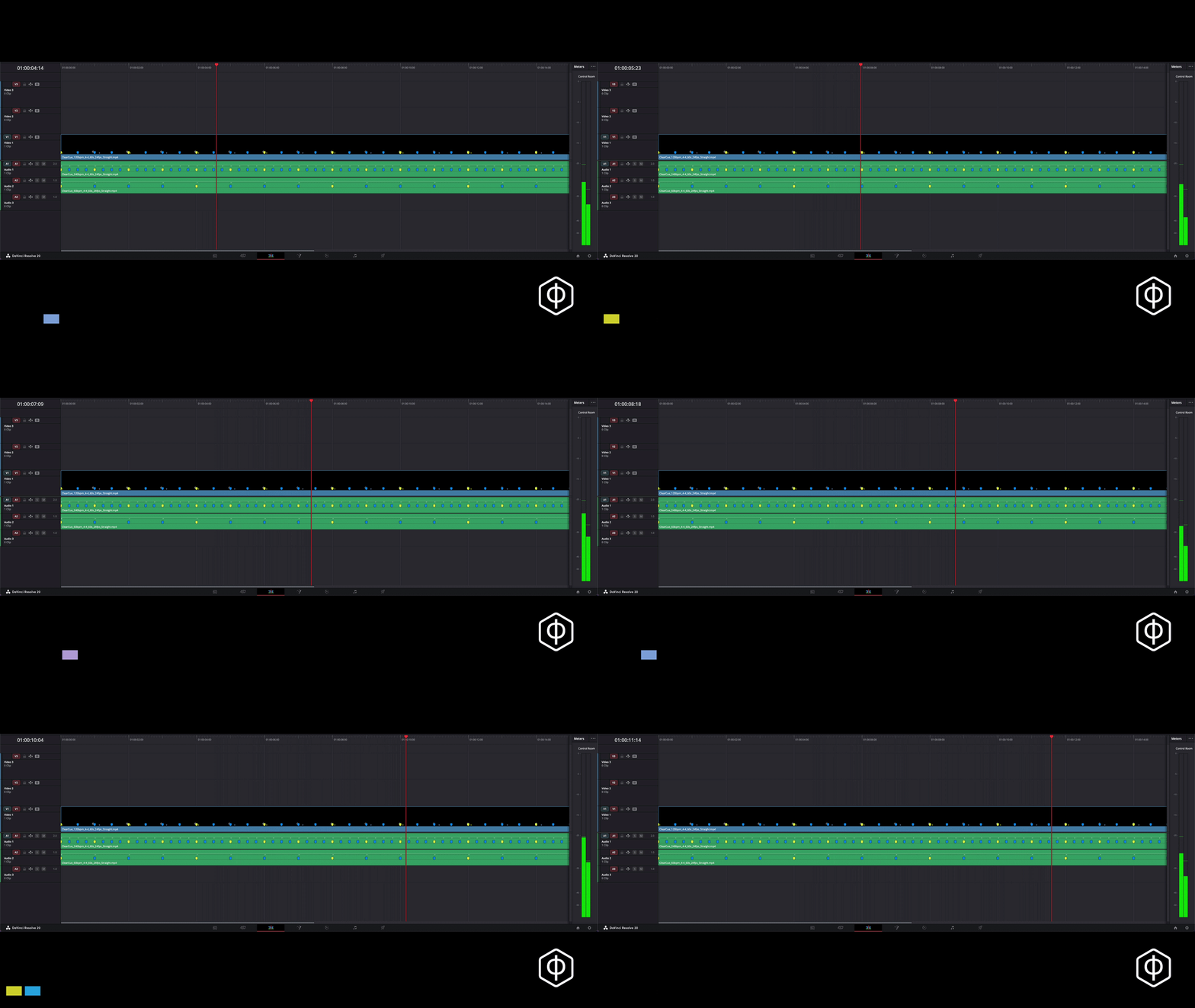
Build across the edit, or in sections.
Edit with music or without - the markers give you accurate cut points across different tracks. Music becomes another layer, not the guide.
-
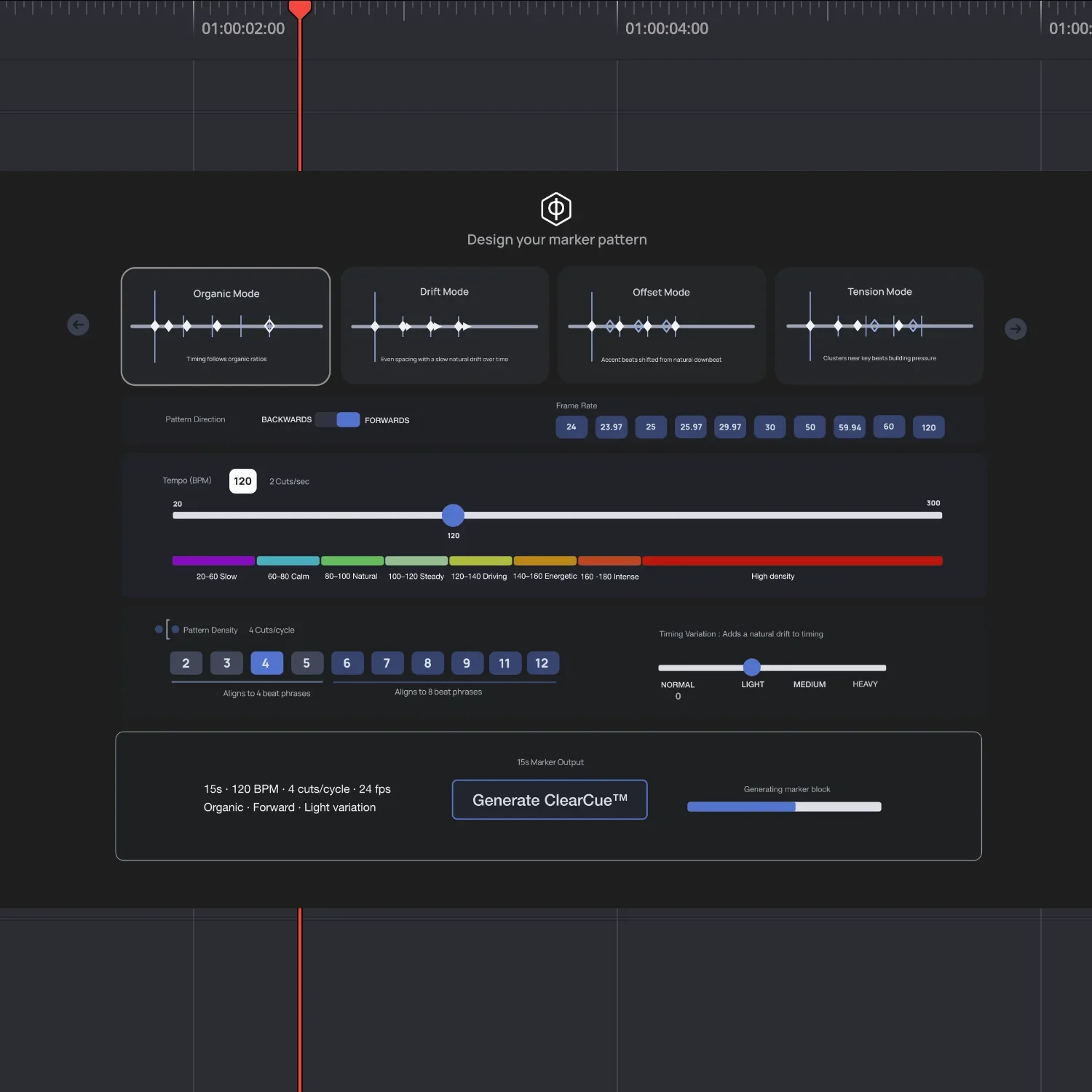
Set your BPM, structure, and timing pattern.
The engine generates a frame-accurate guide instantly.
Drop it into your timeline and cut to the markers.
-
Full marker generator
BPM range: 20–300
Work with any time signature
Output to any frame rate
Create multiple marker patterns
Frame-accurate marker placement
Export timing as a ready-to-use .mp4 guide
Get markers on the clip (Resolve)
-
Cut your edit time dramatically
Stop guessing where cuts should land
Replace manual marker placement entirely
Stay consistent across every project
Create your own marker patterns
Handle complex or irregular edits with ease
Match cuts to music or narrative precisely
-
In DaVinci Resolve, markers are embedded directly.
In other editors, align cuts to the guide’s pulses.
Works with:
DaVinci Resolve (recommended)
Premiere Pro
Final Cut Pro
CapCut
Why the Engine:
Marker patterns give you event points you can design quickly.
The engine lets you create 100,000s of patterns.
Start with the free kit Drop it in. See it work instantly.